 FastSeas
Sailing weather routing software and route planner
FastSeas works out the fastest, most comfortable route between two points for your boat. It uses the wind and wave forecasts and the ocean currents along the way, your boat's performance, and the limits you set for wind and sea. It runs in a web browser and in the FastSeas iOS app.
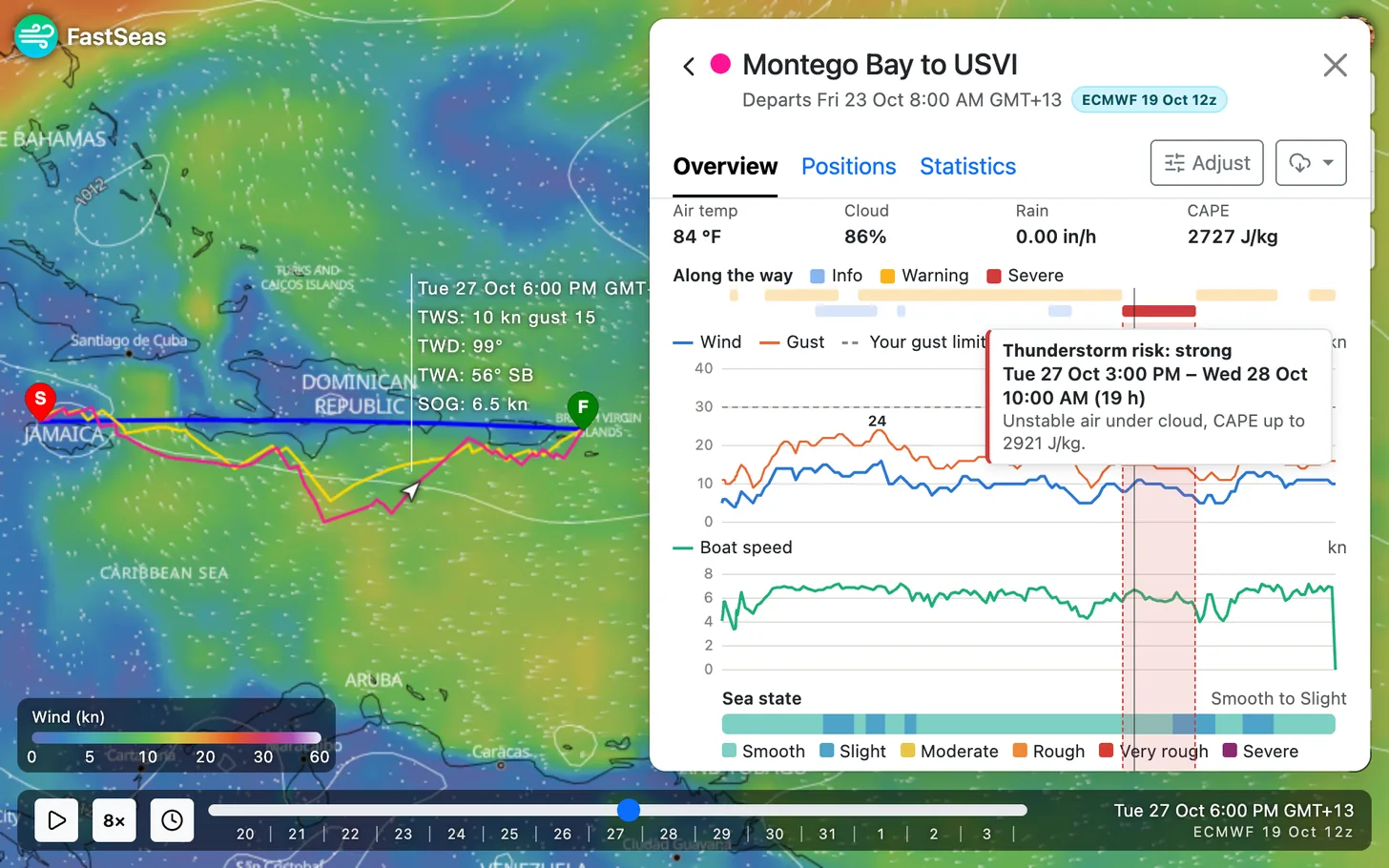
Weather routing for sailing
Put a start and a finish on the map and FastSeas calculates a route that gets there as fast as your boat can. The boat's speed comes from its polar: bring your own, or have FastSeas build a simple one from your hull type (monohull, catamaran or trimaran) and its character, from light and fast to heavy cruiser.
You choose the forecast: GFS from NOAA, which reaches 16 days ahead, or ECMWF, which reaches 15. Both are refreshed four times a day, and the map shows the same forecast the route was calculated with, so you can compare the two before you leave.
Ocean currents are in the calculation, from the RTOFS ocean model. A current changes your speed over the ground, and it changes the wind your boat feels as well. Each route opens on an overview with the wind, gusts and boat speed along the passage, and what happens on it: waits for weather, motoring, squalls and heavy rain.
The sea
FastSeas shows the waves on the map, from GFS-Wave or ECMWF's wave model, and in the forecast for any point you tap. Along a route, every position has the sea's height, period and the direction it meets the boat, and a sea state from Smooth to Severe. The overview flags any stretch of rough or dangerous sea.
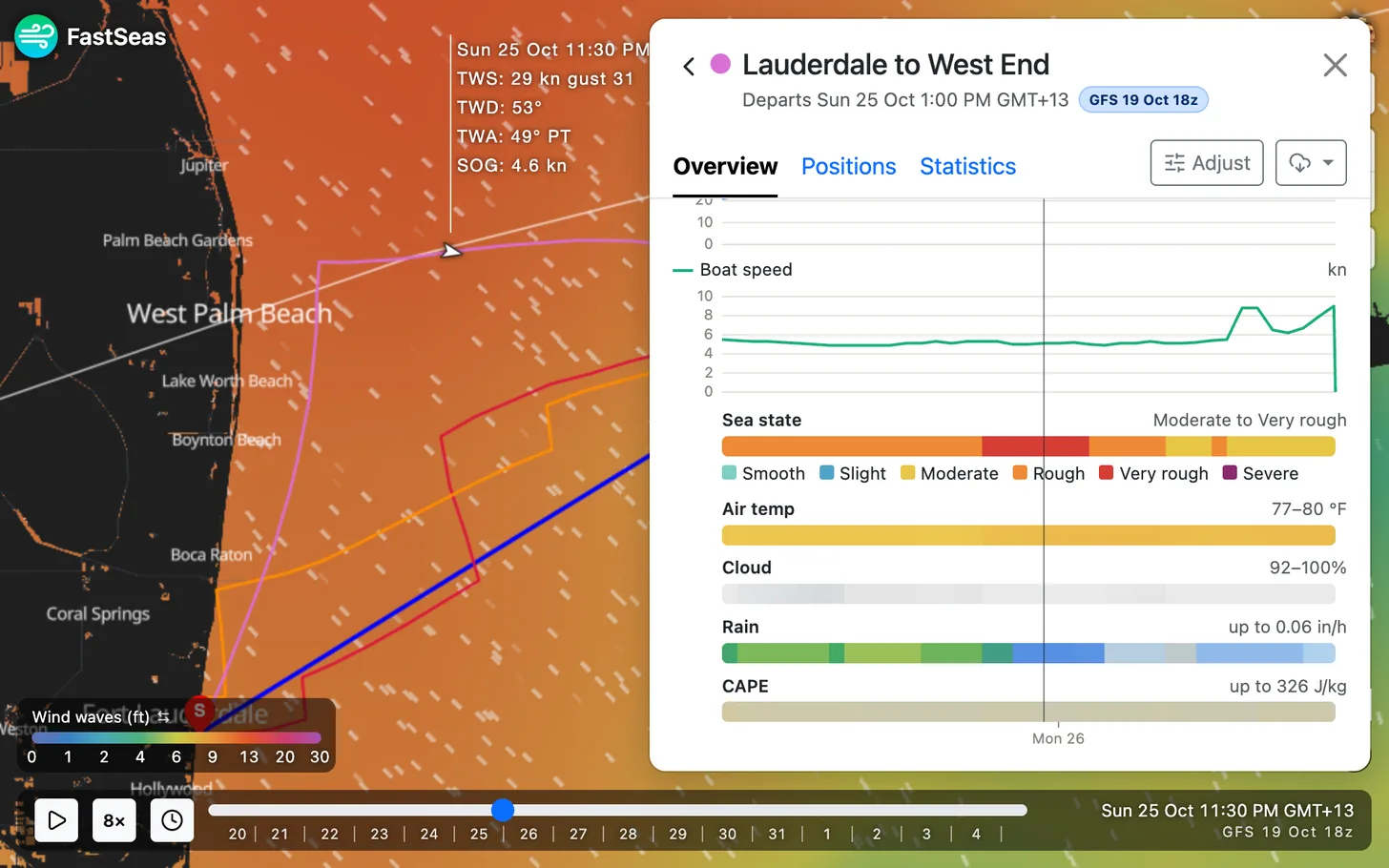
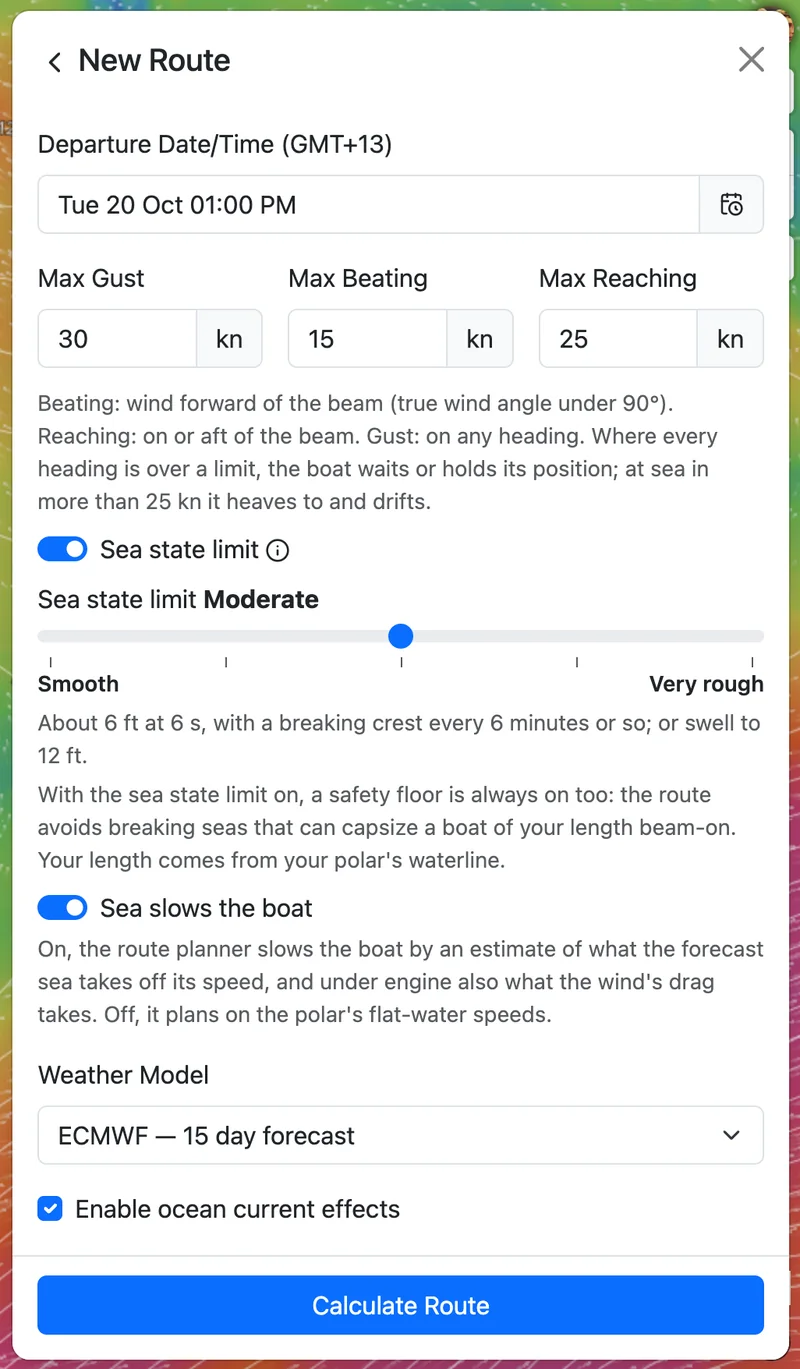
Set a sea state limit, from Smooth to Very rough, and the route keeps out of anything worse, or waits for it to ease. The sea state comes from the waves' height and steepness together, and a current running against the sea makes it worse, so a short, steep sea counts for more than its height alone. With the limit on, a safety floor also keeps the route clear of breaking seas that could capsize a boat of your length beam-on.
The sea also slows the boat. Routes allow for the speed a head sea takes off, and under engine the wind's drag too. You can switch that off to plan on your polar's flat-water speeds.
Wind limits, motoring and waits
Set the wind you are willing to sail in: a maximum gust, and a maximum wind when beating and when reaching. The route stays inside them. Where every heading would break a limit, the boat waits for the weather, holding its position, or at sea in more than 25 knots heaving to and drifting. The overview shows each wait.
You decide when the engine starts. Set the speed below which the boat motors, and the wind above which it never motors into the weather (15 knots unless you change it).
Routes through waypoints
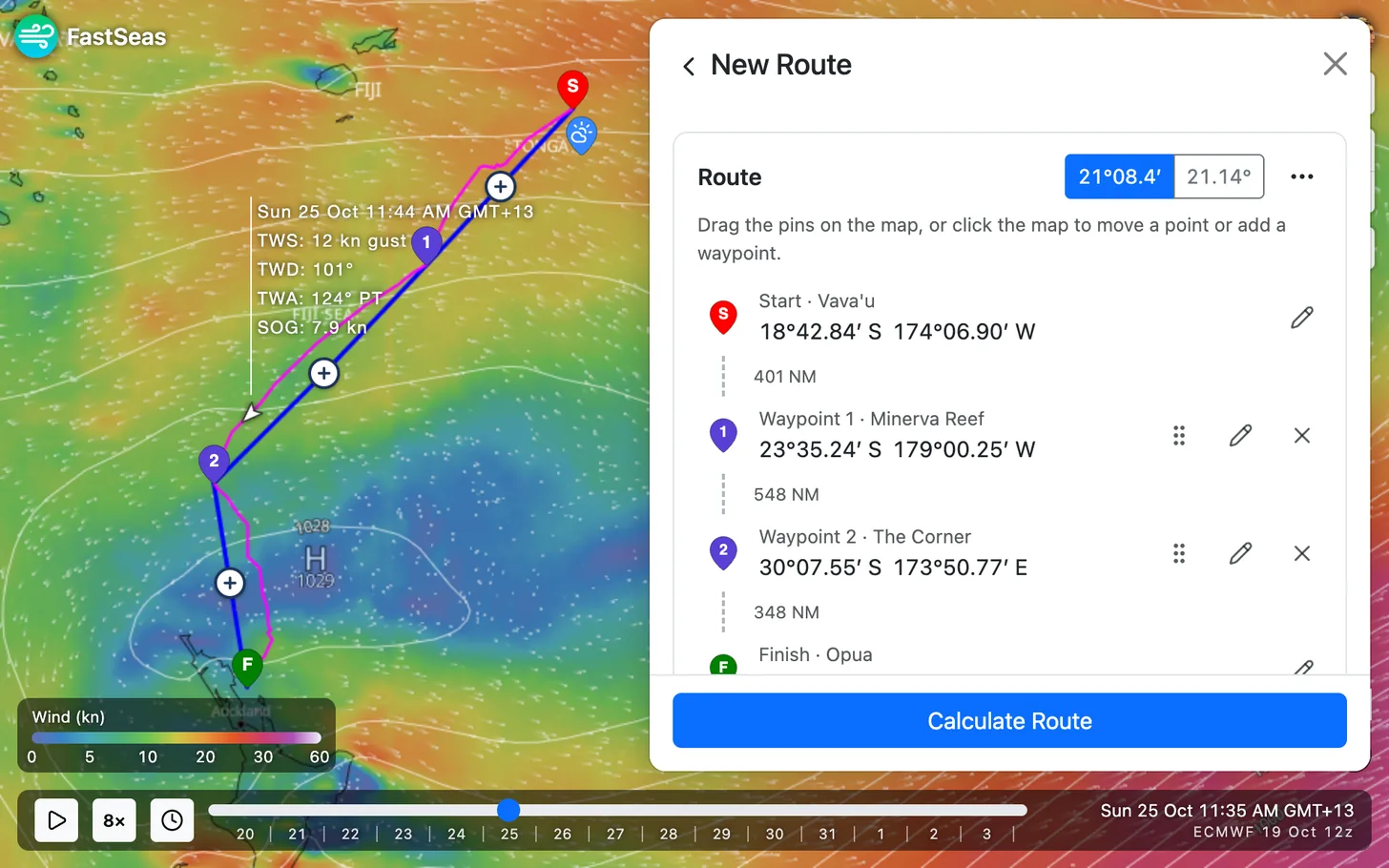
A route can pass through up to 10 waypoints between its start and finish. Add them on the map, drag to reorder them, and give any of them a name. The route reaches a waypoint when it comes within the arrival circle you set. Where a pin lands on land, it moves to the nearest water, and the route says so.
The forecast at any point
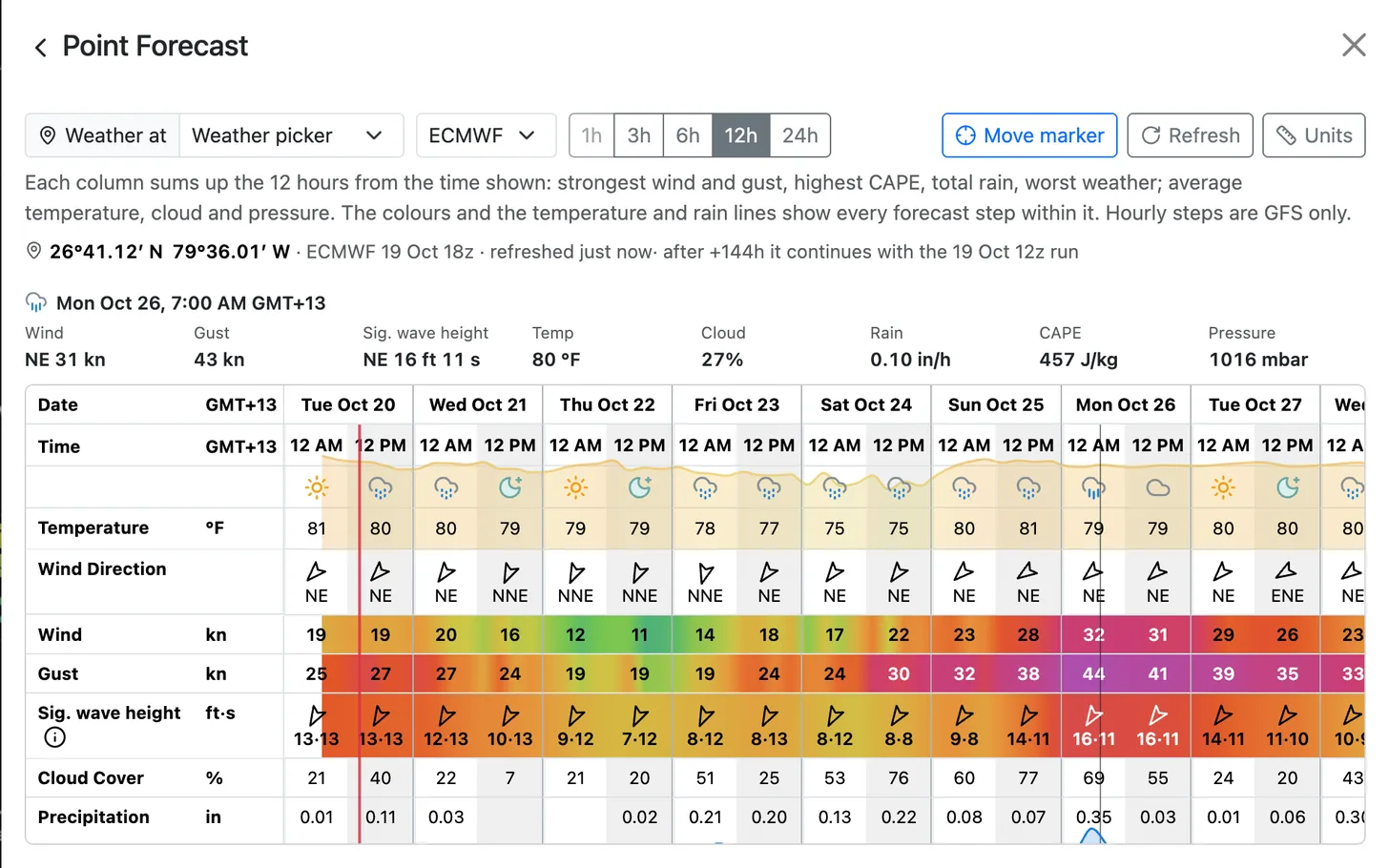
Tap anywhere on the map for the weather at that spot, now and over the next day, with sunrise and sunset. The full forecast opens in the Point Forecast tab: wind, gust, wave height and period, temperature, cloud, rain, thunderstorm potential (CAPE) and pressure, from GFS or ECMWF, coloured as the map's legends are. Choose steps of 1 (GFS only), 3, 6, 12 or 24 hours, and the nights are shaded.
Departure planning: when to leave
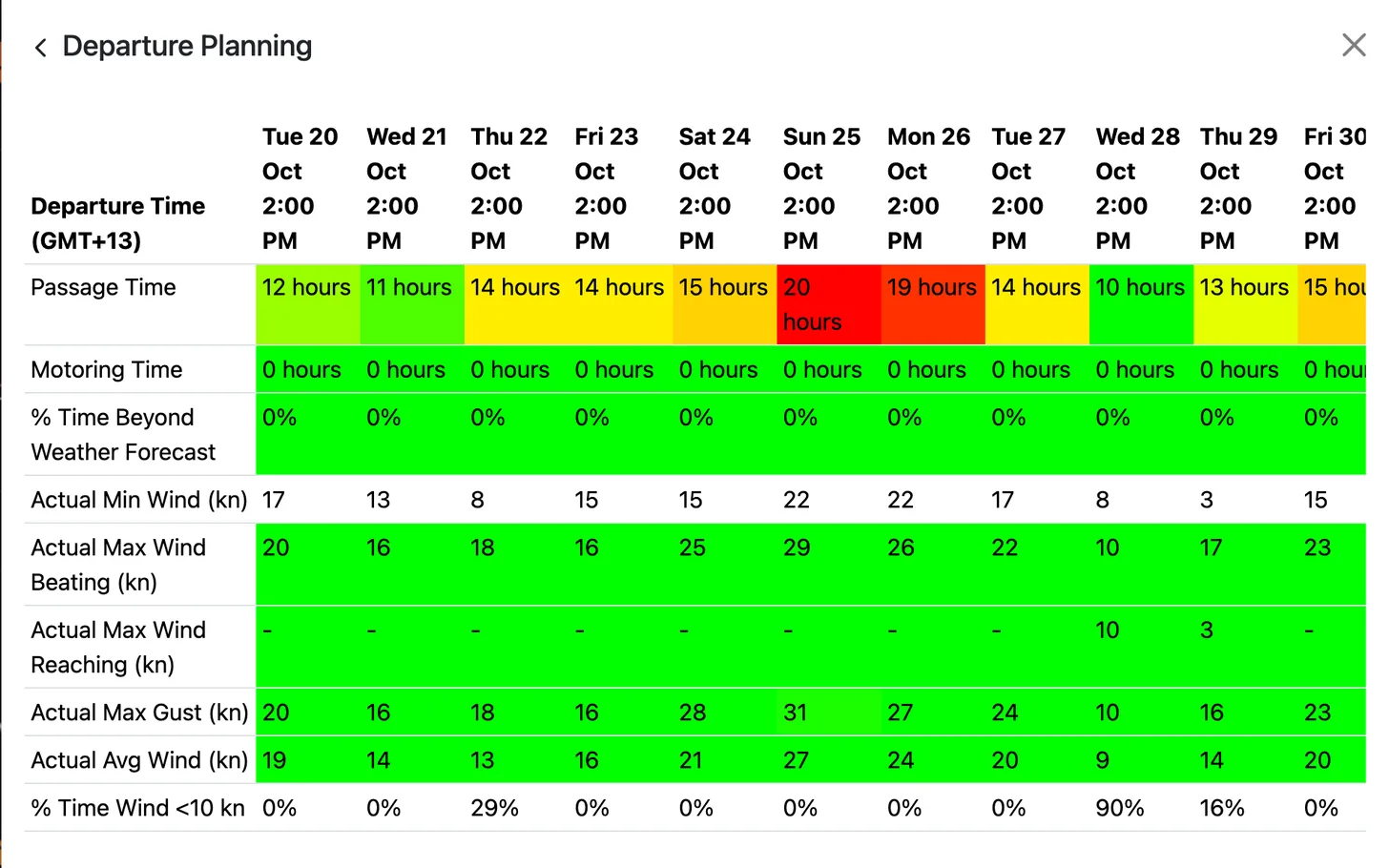
Departure planning compares leaving at different times. Choose a route, a first departure and an interval between departures (a day, unless you change it), and FastSeas estimates the passage for each: the passage time and the motoring time, the lightest and strongest wind, the strongest gust and the share of the passage in under 10 knots of wind, coloured so the good days stand out. These are rough figures, and the sea state limit does not apply to them. When a window looks good, run a full routing calculation for it. When a route has to wait out weather at sea, FastSeas also suggests leaving later, and one tap plans that departure.
Plan on your phone or tablet
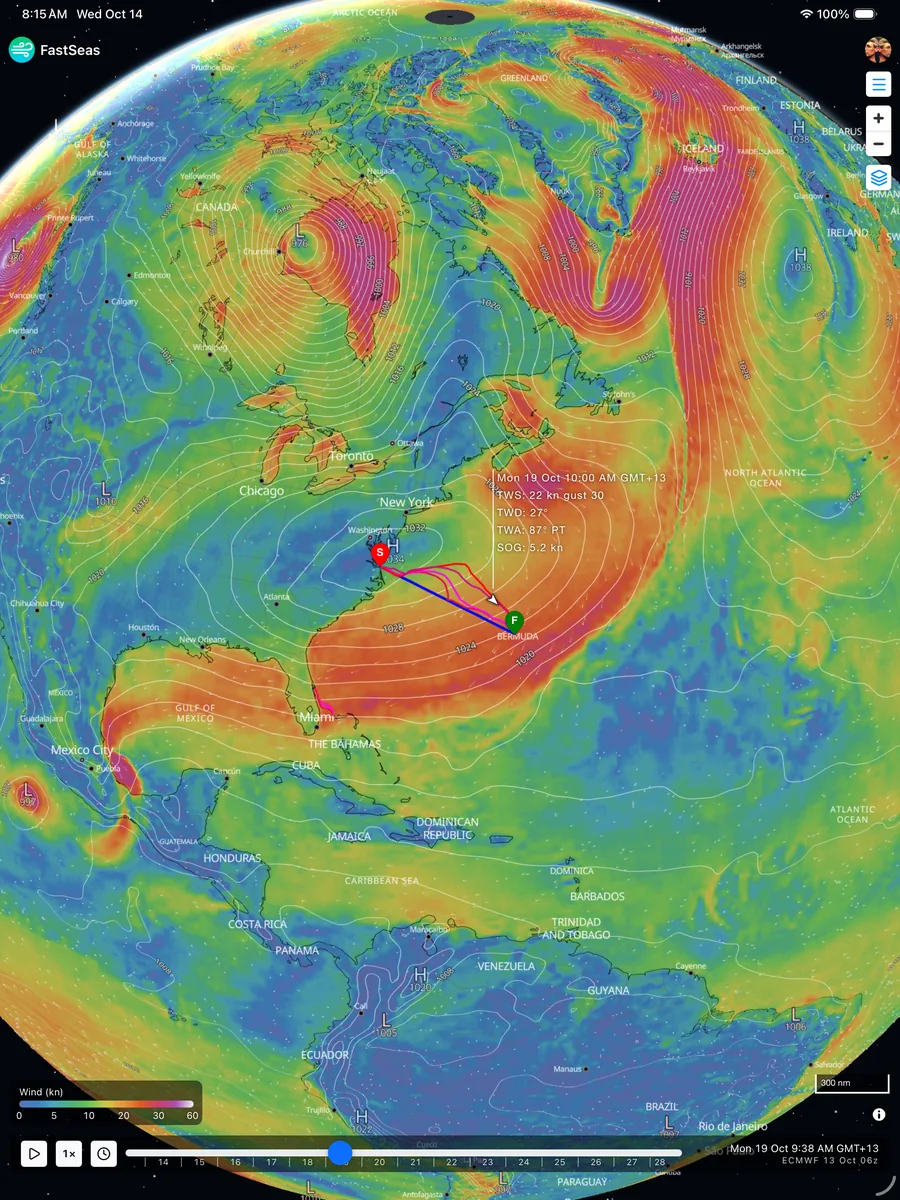
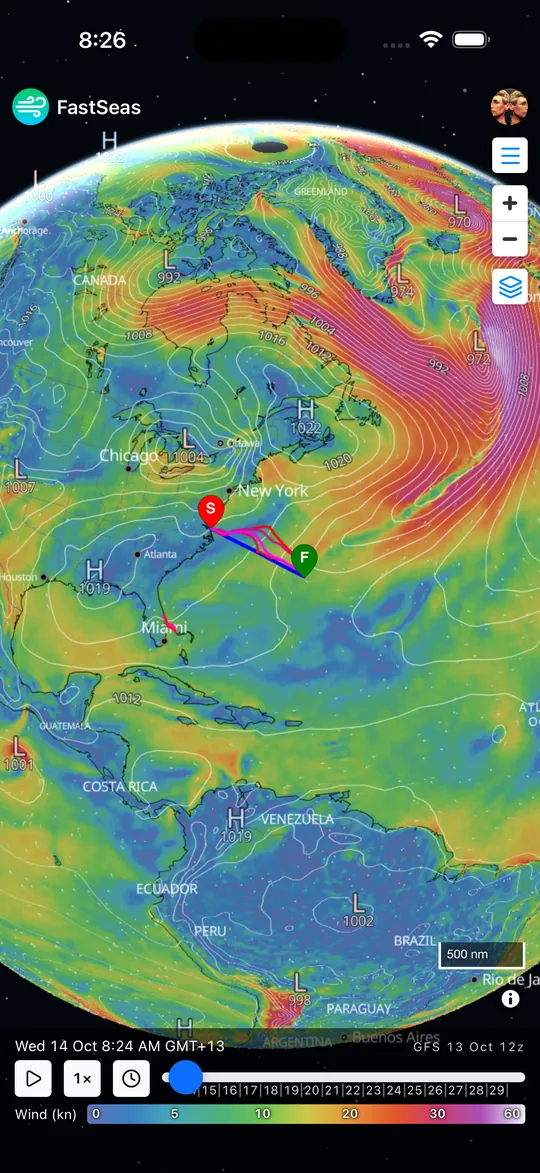
FastSeas runs in any web browser, and in the FastSeas iOS app for iPhone and iPad. The map, the routing and the limits are the same on every screen, laid out for touch: pinch to zoom, drag the pins to move a start, finish or waypoint, and tap the map for the weather at that point. Help opens with a tap, not a hover.
Sign in and your boat's polar is kept with your account, so you set it up once and it is there on the next device.

Offshore, by satellite email and inReach
Offshore you do not need a web connection. Send FastSeas a routing or departure planning request by email, from Iridium GO!, Sailmail, Winlink or any email service, or from a Garmin inReach, Zoleo, Spot or Bivy Stick, and an automated reply comes back within seconds: a GPX route with the forecast weather at each waypoint, or a short message for a satellite communicator. The commands are in Using FastSeas by satellite email.
A free route planner, and Premium
The free Basic plan gives weather routing with either the GFS or the ECMWF forecast, with ocean currents, and departure planning, 5 requests a month of each.
Premium has unlimited weather routing and departure planning requests, and the email responder for Iridium GO!, Sailmail, Winlink and Garmin inReach. It is billed monthly, every six months or yearly. The prices are on the Pricing screen in the app.
How to start planning a route
Open FastSeas, set a start and a finish on the map, and choose Calculate Route. Put in your boat's polar or build a simple one under Vessel Performance first, and set your limits under Routing. Questions are welcome at support.